The right AI meeting notetaker depends on one thing: what you need after the meeting ends. For a strong free plan with unlimited recording, Fathom leads. For sales teams needing CRM logs and searchable archives, Fireflies fits best. If you’re reading and editing transcripts live during a call, Otter handles that better than the others. And if your goal is shareable video clips for coaching or async communication, Grain is the specialist. This comparison covers each tool’s actual free plan limits, paid pricing, platform support, and trade-offs — based on published vendor documentation and user reviews as of 2026.
Quick Comparison: AI Meeting Notetakers 2026
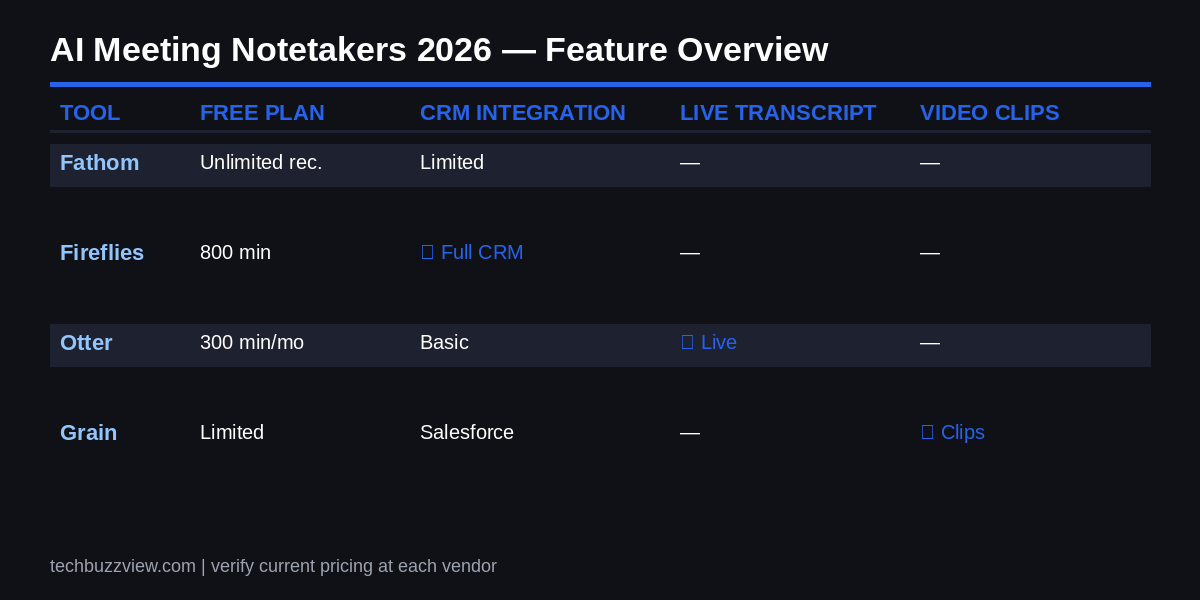
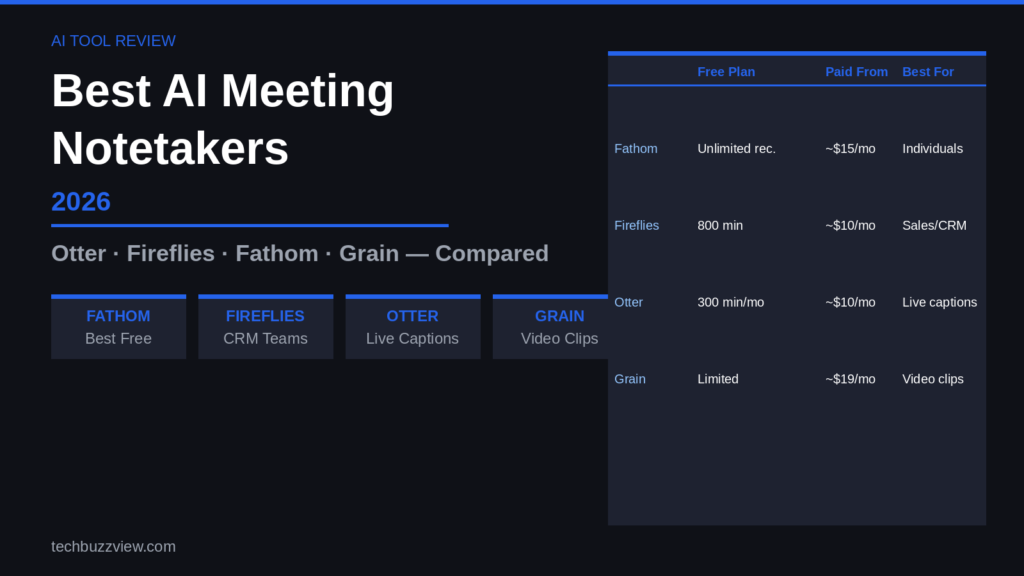
| Tool | Best for | Free plan | Paid from | Platforms |
|---|---|---|---|---|
| Fathom | Best overall free option | Unlimited recording; AI summaries capped at 5/month | ~$15–19/mo (verify at fathom.video) | Zoom, Google Meet, Teams |
| Fireflies.ai | CRM integration, sales teams | 800 min storage, basic transcript | ~$10–18/mo (verify at fireflies.ai) | Zoom, Meet, Teams, Webex |
| Otter.ai | Live transcription, accessibility | 300 min/month recording | ~$10/mo (verify at otter.ai) | Zoom, Meet, Teams |
| Grain | Video clips, sales coaching | Limited — check grain.com | ~$19/mo (verify at grain.com) | Zoom, Meet |
Pricing changes regularly. Verify current plans on each vendor’s website before deciding.
Fathom — Best Free Plan for Most Teams
Fathom earns its reputation as the strongest free option available. On the free tier, it records unlimited meetings with no time cap — a meaningful advantage over competitors that cap free storage in minutes. The catch: AI-generated summaries on the free plan are limited to five meetings per month. For most individuals and small teams, that limit covers regular use without paying.
Based on published user reviews across G2 and other platforms, Fathom scores consistently high — over 6,000 G2 reviews with a near-perfect average as of mid-2026. Claimed transcription accuracy is around 95% for clear English, though accuracy drops for accented speech and domain-specific jargon, as with most tools.
The limitation worth noting: Fathom’s AI notes aren’t as customizable as some rivals. If your team needs tailored summary templates (e.g., action items in a specific format for a PM workflow), Fathom may require manual editing. Its native CRM integrations are also lighter than Fireflies’.
Who should use it: Individuals, freelancers, and small teams wanting unlimited recording without a monthly fee, primarily on Zoom or Google Meet.
Who should skip it: Sales teams needing deep CRM logging, or teams that require extensively customized summary formats.
Fathom — see current plans at fathom.video
Fireflies.ai — Best for Sales Teams and CRM Workflows
Fireflies is built for teams that need meeting transcripts to feed directly into sales and customer workflows. It integrates with Salesforce, HubSpot, Zoho, and Pipedrive, pushing call summaries, action items, and key moments into CRM records without manual entry. For a sales rep who takes four to six calls a day, that automation has real value.
Paid plans run approximately $10–18 per seat per month depending on tier, though verify current pricing at fireflies.ai since this changes. The free plan offers limited storage (800 minutes) and basic transcript functionality — enough to evaluate but not sustainable for active use.
One practical consideration: Fireflies uses an AI credit system for certain advanced features on mid-tier plans. Users on some published reviews note this can lead to unexpected costs if the team uses AI features heavily. Review what counts against credits before committing to a plan.
Its searchable meeting archive is genuinely useful for larger teams — you can search across all recorded meetings for a keyword, which helps in onboarding, compliance review, or retrieving a decision made three months ago.
Who should use it: Sales teams, revenue operations, and customer success teams where meetings need to feed into a CRM automatically.
Who should skip it: Individuals or teams who don’t use CRM tools and don’t need the archive depth.
Fireflies.ai — see current plans at fireflies.ai
Otter.ai — Best for Live Transcription and Accessibility
Otter’s main advantage is its live transcript: it transcribes speech in real time during the call, so you can read what was just said, make corrections, and highlight key moments while still in the meeting. This makes it particularly useful for accessibility — hearing-impaired team members, non-native speakers following along, or anyone in a noisy environment who needs to read rather than listen.
The free plan caps at 300 minutes of recording per month — roughly six to ten typical calls — which is usable for moderate users. Otter supports fewer languages than some competitors, which matters for global teams on non-English calls.
Its Teams and Zoom integrations are solid and well-maintained. One limitation: Otter’s AI summaries and meeting search are less refined than Fathom’s, and its CRM integrations are limited compared to Fireflies.
Who should use it: Teams who need live captions, accessibility support, or who primarily need a searchable real-time transcript rather than a polished AI summary.
Who should skip it: Teams prioritizing deep CRM integration or who exceed the free plan’s 300 min/month limit regularly.
Otter.ai — see current plans at otter.ai
Grain — Best for Video Clips and Sales Coaching
Grain occupies a different niche from the other three: rather than text-first summaries, its core feature is creating shareable video clips from meeting recordings. You can tag a highlight moment during or after a call, clip it, and share it — useful for sales coaching (review how a rep handled an objection), product feedback loops (clip a user saying something directly), or async communication where showing is clearer than describing.
Coverage of Grain in independent reviews is thinner than for Fathom or Fireflies, which reflects its more specialized use case. Paid pricing runs around $19/month per user as of reviewed sources, though verify the current structure at grain.com — the product has evolved significantly and pricing may differ.
Grain integrates with Salesforce and HubSpot for CRM logging alongside its clip workflow, making it relevant for sales teams who want both clip-based coaching and CRM records.
Who should use it: Sales managers running call reviews, product teams capturing user research moments, or teams building an async video communication culture.
Who should skip it: Anyone who needs a strong free plan or doesn’t have a clip/coaching use case for meetings.
Grain — see current plans at grain.com
How to Choose the Right Tool
The decision comes down to three questions:
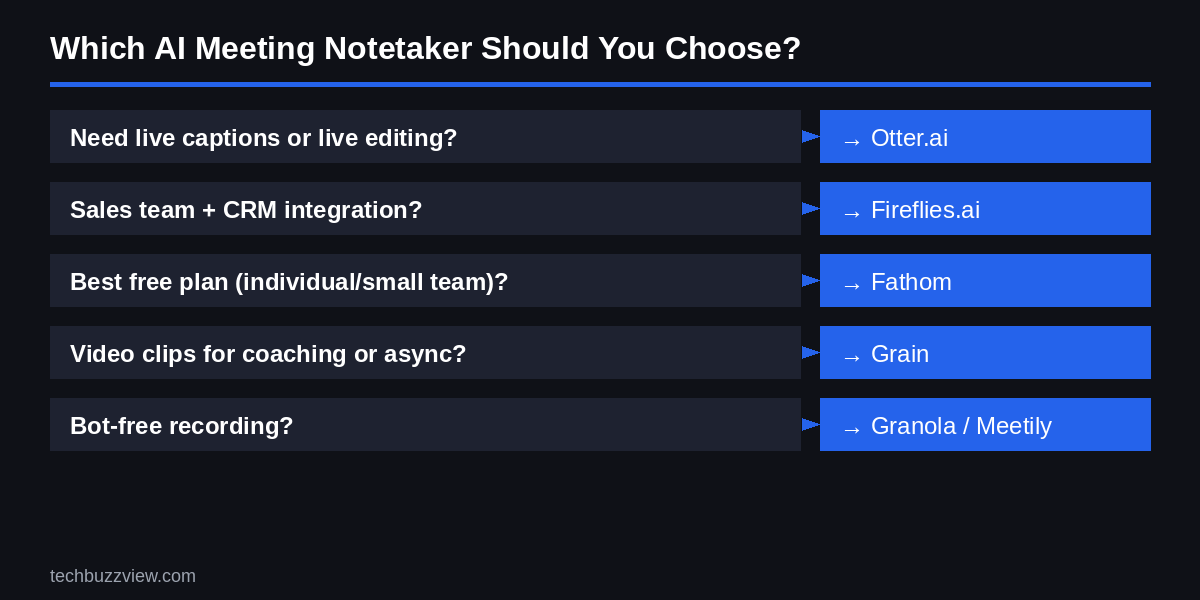
- What happens after the meeting? If your meetings need to update a CRM, choose Fireflies. If the output is an internal summary shared in Slack, Fathom covers that well. If you need clips for coaching, Grain.
- Do you need live transcription? Only Otter gives you a real-time editable transcript during the call. The others produce summaries after the meeting ends.
- What’s your budget? Fathom’s free plan is genuinely useful for individuals. All four tools offer paid tiers — verify current pricing before deciding, as plans change.
Before You Sign Up: What to Check
A few practical checks before choosing any AI meeting recorder:
- Who owns your transcripts? Read each tool’s privacy policy for data ownership and retention terms. Enterprise tiers typically offer stronger data controls than free plans.
- Bot consent. Most tools join meetings as a bot participant. In the US, federal law (one-party consent) generally allows recording when one party consents, but several states (California, Illinois, Washington) require all-party consent. Your organization may also have its own policy. Consult your organization’s legal or compliance team before recording external parties — this article is not legal advice.
- Bot-free options. Some tools offer desktop app recording that doesn’t send a bot. Granola and Meetily (open-source) take this approach. Worth considering if your clients or prospects push back on bot participants.
Some links in this article may earn us a commission at no extra cost to you.
FAQ
Is the free plan actually useful, or do you need to pay?
Fathom’s free plan is the most usable of the four for individual professionals — unlimited recording with a 5-summary-per-month cap means you can record every meeting and get AI summaries on your most important ones. Otter’s 300 min/month free cap works for light users but gets tight quickly for anyone in multiple calls per day. Fireflies’ free plan (800 min storage) is primarily an evaluation tier rather than an ongoing free option.
How accurate is AI transcription with accented or non-native English?
All four tools perform well on clear standard American English and show variable accuracy on accented speech, domain-specific terminology, and simultaneous speakers. Fathom publishes a 95% accuracy figure for standard conditions — independent testing from various reviewers shows meaningful drops in accuracy for regional accents, technical jargon, and cross-talk. Otter supports real-time correction, which helps catch errors during the call. None of these tools are reliable for legally sensitive transcription without human review.
Can I disable the meeting bot if clients find it intrusive?
Fathom, Fireflies, and Otter all join meetings as a visible bot participant, which is logged in the participant list. Some clients or external parties may be uncomfortable with this. Fireflies lets you record without the bot on desktop in some configurations — check their documentation. For a fully bot-free approach, Granola (Mac only) or Meetily (open-source, local) record via the device’s audio rather than joining as a participant. Always disclose recording to all parties regardless of the method used.