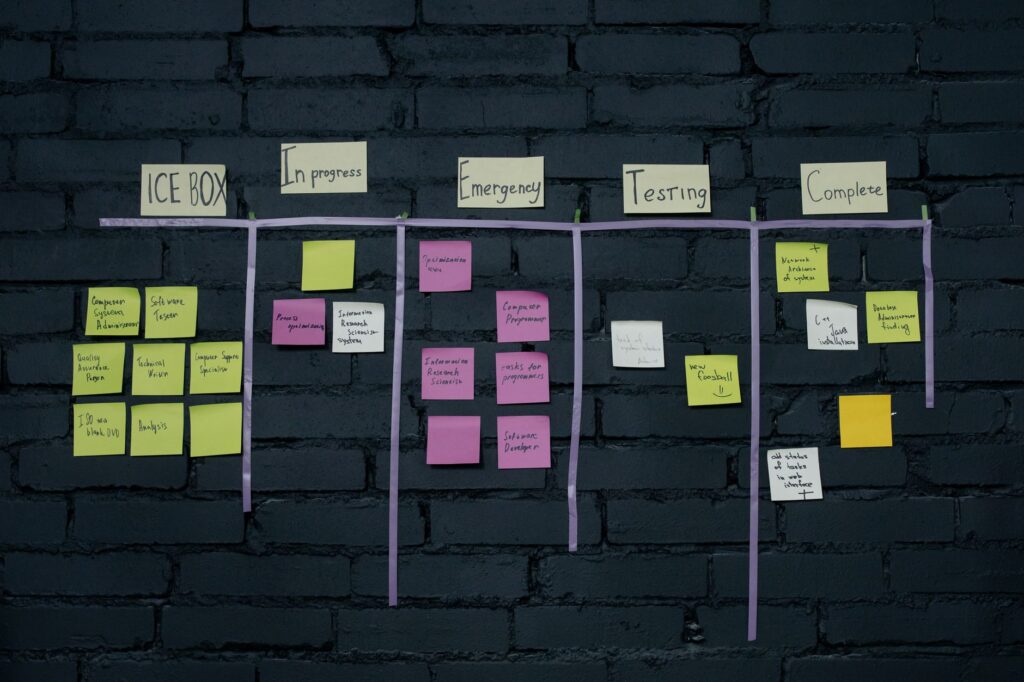
Managing projects, client work, assignments, or even your freelance business to-do list is a lot harder than it sounds. You’ve got tasks scattered across WhatsApp, random sticky notes, email threads, and — if you’re really unlucky — a half-filled paper diary from January. Sound familiar?
The good news is that some of the best project management tools in the world are completely free for individuals and small teams. In 2026, Trello, Asana, and ClickUp remain the three most popular choices — each with a strong free tier and a very different approach to helping you stay organised.
I’ve researched and compared all three extensively so you don’t have to go through the pain of trialling each one yourself. Here’s the honest breakdown for Indian students, freelancers, and indie professionals.

Quick Comparison: Trello vs Asana vs ClickUp (2026)
Before we dive deep, here’s the high-level summary:
- Trello — Best for visual thinkers who love Kanban boards. Incredibly simple to use, almost no learning curve.
- Asana — Best for teams that need structured workflows and multi-step project tracking. Slightly steeper learning curve but very powerful.
- ClickUp — Best for power users who want everything in one place. The most feature-rich free plan, but can feel overwhelming at first.
Trello: The Kanban King
Trello is the tool you’ve probably already heard of — and for good reason. It’s been around since 2011, and its Kanban board interface is so intuitive that most people can use it effectively within the first 10 minutes.
How Trello Works
Trello organises work into Boards → Lists → Cards. A Board is like a project. Lists are stages (To Do, In Progress, Done). Cards are individual tasks. You drag cards between lists as you make progress. That’s it. That’s the whole concept.
What’s Free on Trello?
- Unlimited cards and lists
- Up to 10 boards per workspace
- Unlimited Power-Ups (integrations) — but only 1 per board on the free plan
- 250 workspace command runs per month
- Mobile and desktop app
Who Should Use Trello?
Trello is perfect for:
- Students managing assignments and project deadlines
- Freelancers tracking client projects and deliverables
- Content creators planning editorial calendars
- Anyone who is visual and wants to see their work as cards on a board
Verdict: If simplicity is your priority and you’re managing 1–5 projects at a time, Trello is hard to beat on the free tier.
Asana: For Structured, Multi-Step Projects
Asana is the more grown-up sibling in this comparison. It started as a team collaboration tool but has evolved into a full-fledged work management platform. The free plan is quite generous for individuals and small teams of up to 15 people.
How Asana Works
Asana organises work as Projects → Sections → Tasks → Subtasks. You can view projects as a list, a Kanban board, or a timeline (Gantt chart). Tasks can have assignees, due dates, priority levels, dependencies, and custom fields.
What’s Free on Asana?
- Unlimited tasks, projects, and messages
- Up to 15 users per team
- List and board views
- Basic reporting
- Mobile and desktop app
- 250+ integrations (including Google Drive, Slack, and Zoom)
Who Should Use Asana?
- Small startup teams that need to assign and track work across people
- Freelancers managing complex, multi-deliverable projects
- Students working on group projects with clear task ownership
- Anyone who wants more structure than Trello provides
Verdict: Asana is the best choice when you need to track who’s doing what and by when — especially in a team setting. The interface is clean and the free tier is surprisingly capable.

ClickUp: The All-in-One Powerhouse
ClickUp’s pitch is bold: “one app to replace them all.” Docs, tasks, goals, time tracking, whiteboards, spreadsheets, chat — ClickUp tries to do everything. And on the free plan, it gives you more than either Trello or Asana do for free.
How ClickUp Works
ClickUp organises work as Workspaces → Spaces → Folders → Lists → Tasks. Yes, that’s a lot of hierarchy — and it can be confusing at first. But once you get the hang of it, the flexibility is remarkable. You can view any set of tasks as a list, Kanban board, Gantt chart, calendar, mind map, or even a spreadsheet.
What’s Free on ClickUp?
- Unlimited tasks and members
- 100MB storage
- Two-factor authentication
- Kanban boards, list views, and calendar views
- Time tracking
- Real-time collaboration
- ClickUp AI (limited free usage)
Who Should Use ClickUp?
- Power users who want a single app for notes, tasks, and docs
- Freelancers or solo entrepreneurs running their entire business from one tool
- Students who want a unified workspace for research, assignments, and scheduling
- Anyone willing to invest time in setup to get maximum flexibility
Verdict: ClickUp has the richest free plan of the three. The trade-off is complexity — expect a 1–2 week ramp-up period before it feels natural. But if you’re willing to invest that time, the payoff is significant.
Head-to-Head: Key Feature Comparison
Ease of Use
Trello wins. You can be fully up and running in under 10 minutes. Asana is moderate — clean but has more concepts to learn. ClickUp is the most complex to set up initially.
Free Plan Limits
ClickUp wins with unlimited tasks, members, and time tracking. Trello limits you to 10 boards. Asana is generous at 15 users and unlimited tasks, but withholds timeline view on free.
Mobile App Quality (important for India)
All three have solid Android and iOS apps. Asana’s mobile app is the most polished for quick task entry on the go. Trello’s app is simple but works flawlessly even on slower mobile networks — important if you’re on 4G in tier-2 cities.
Integrations
Asana integrates most smoothly with tools Indian professionals use: Google Workspace, Slack, Zoom, and Microsoft Teams. ClickUp’s integrations are wider but some require the paid plan.
AI Features
All three have added AI features in 2026. ClickUp AI is included (with limits) on the free plan. Asana Intelligence and Trello’s AI Power-Ups mostly require paid plans for meaningful use.
Our Recommendation for Indian Users
Here’s the simple framework:
- 👨🎓 Students: Start with Trello. It’s free, easy, and perfect for tracking assignments, exam schedules, and internship tasks. Zero learning curve.
- 💼 Freelancers managing multiple clients: Go with Asana. The ability to assign tasks, track deadlines, and use multiple project views makes client management much cleaner.
- 🚀 Indie founders and power users: Try ClickUp. If you want to run your entire life and business from one app and don’t mind the setup time, ClickUp’s free plan is remarkably complete.
Final Thoughts
The best project management tool is the one you’ll actually use consistently. Don’t get lost in feature comparisons — pick one based on the recommendations above, use it for 2–3 weeks, and adjust from there.
In 2026, all three of these tools are significantly better than they were even two years ago. Whatever you choose, you’re getting a genuinely world-class product for free. That’s a remarkable deal — make the most of it.